
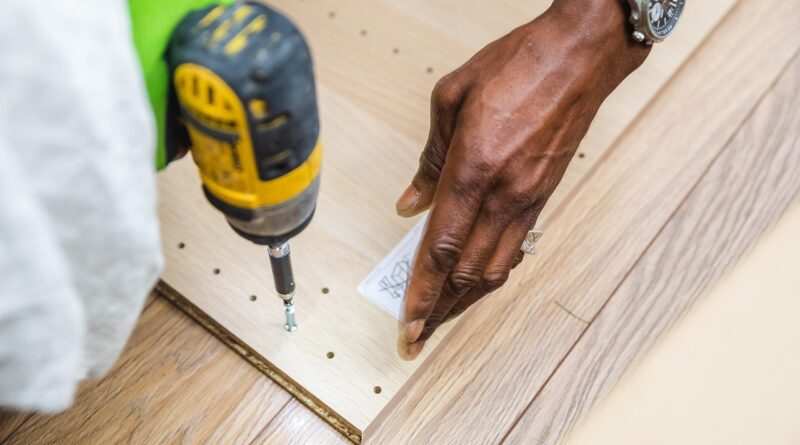
How to choose a power drill for home, shop and jobsite work
What a power drill should do
A power drill is a core tool for home repair, fabrication, woodworking, metalwork and light construction. The right choice, however, depends less on the largest number in the specification sheet and more on the work in front of the user. A suitable drill should make clean holes, drive fasteners with control, handle the intended material and remain safe to operate through repeated use.
Start with four practical questions: what materials will be drilled, how large the holes will be, how often the tool will be used and whether the work area has reliable power access. A cordless drill driver may be ideal for cabinet hardware, pilot holes and general assembly. A corded drill may still be the better option for long drilling sessions where runtime matters. A hammer drill or rotary hammer becomes relevant only when masonry or concrete is part of the work.

The guidance below focuses on practical selection and use rather than brand rankings. It draws on common industry guidance from OSHA, NIOSH, the Consumer Product Safety Commission, UL Solutions and the Power Tool Institute, while keeping the advice general enough for home, shop and jobsite readers.
For more related tool and hardware coverage, visit the Tools & Power section.
Corded vs cordless power drill
The first major decision is whether to choose a corded or cordless drill. Cordless drills dominate many jobsite and household tasks because they are portable, quick to set up and easier to use in tight, unfinished or remote work areas. They are especially convenient for drilling pilot holes, installing hinges, assembling fixtures and moving between rooms or workstations.
Corded drills still have a useful role. They avoid battery runtime limits, suit extended bench work and may be preferred when the tool will run for long periods. The trade-off is mobility. The cord and plug must remain in good condition, and the work area should be arranged to reduce tripping, snagging or pulling the tool off balance.
When cordless makes sense
A cordless power drill makes sense when portability, setup speed and repeated movement are important. It is usually the default choice for general DIY, maintenance and light construction work. Battery platforms also matter. Buying into one voltage and charger family can reduce clutter if the user later adds impact drivers, saws, lights or other compatible tools.
Battery-powered tools should be treated as complete systems. CPSC battery guidance emphasizes that high-energy-density batteries can present overheating, fire, shock and burn hazards if poorly designed, damaged or mismatched with chargers. UL guidance for lithium-ion tool systems also stresses evaluation of the tool, battery pack and charger together rather than treating the charger or pack as an isolated accessory. In practice, users should avoid improvised charging setups and follow the manufacturer’s compatibility instructions.
When corded still makes sense
A corded drill is worth considering for shop work, repetitive drilling and situations where uninterrupted power matters more than mobility. It can also suit occasional users who do not want to manage battery health over time. Corded operation does require a basic inspection routine. Power Tool Institute guidance recommends checking for damaged cords, plugs and grounding prongs where applicable. NIOSH and OSHA-related checklists also highlight grounding or double insulation for portable electric tools.
The safer choice is not automatically cordless or corded. It is the drill that matches the workload, stays controllable in the user’s hands and can be maintained according to the tool maker’s instructions.
Match the drill type to the material and task
The word drill covers several tools that look similar but behave differently. Choosing the wrong type can lead to slow work, damaged bits, stripped fasteners or unsafe binding. The table below summarizes common choices.
| Task or material | Suitable tool type | Why it matters |
|---|---|---|
| Wood pilot holes, hardware installation and general home repair | Cordless drill driver | Offers speed control, clutch settings and portability for everyday drilling and fastening. |
| Long bench sessions or repeated drilling near an outlet | Corded drill | Avoids battery changes and may be useful for continuous work. |
| Brick, block or occasional light masonry | Hammer drill with masonry bits | Adds a hammering action that helps the bit break up masonry while rotating. |
| Concrete anchor holes or frequent masonry work | Rotary hammer | Designed for heavier impact energy than a standard hammer drill. |
| Driving many screws or long structural fasteners | Impact driver plus drill driver | An impact driver handles high fastening loads, while the drill remains better for controlled holes. |
| Large holes in metal or heavy fabrication | Drill with appropriate speed control, bits and workholding | Control, lubrication, bit selection and clamping become more important as hole size increases. |
For many households, a cordless drill driver covers most routine needs. It can drill pilot holes, drive screws with a clutch and use common twist bits, spade bits and hole saws within the manufacturer’s limits. A hammer drill is not automatically better for general use. It adds capability for masonry, but the hammer setting should be turned off when drilling wood, plastic or metal.
Specifications that matter more than marketing numbers
Power drill product pages often emphasize voltage, torque and battery size. These numbers are useful only when read against the intended application. A compact drill with good speed control may be better for cabinet installation than a heavy high-torque model. A larger drill may handle bigger bits, but it can also be tiring overhead or awkward inside framing.
Torque and clutch control
Torque describes turning force, but more torque is not always easier to use. For fastening, clutch settings are important because they help limit drive depth and reduce stripped screws. A low clutch setting is useful for small screws and soft materials; a higher setting is needed for larger screws or denser stock. For drilling holes, most drills have a drill mode that bypasses clutch slip, but the operator still needs to control pressure and keep the bit aligned.
Speed ranges
Many drill drivers use two speed ranges. Low speed provides more control and turning force for larger bits or difficult fasteners. High speed is useful for smaller holes and cleaner work in wood or light materials. Metal drilling generally benefits from slower speeds as hole size increases, along with the correct bit and cutting fluid where appropriate. Heat buildup can dull bits quickly, so speed control is often more valuable than maximum rpm.
Chuck size and bit holding
Common drill chuck sizes include 3/8 inch and 1/2 inch. A 1/2-inch chuck can accept larger shanks and is common on heavier drills, while a 3/8-inch chuck can be adequate for many household tasks. The Power Tool Institute specifically advises tightening the bit securely in the chuck and removing chuck keys or wrenches before starting the drill. Keyless chucks reduce the chance of leaving a key in place, but they still need to be tightened properly.
Battery platform and charger discipline
For cordless tools, battery amp-hour rating affects runtime, but a larger pack also adds weight. A compact battery may be more comfortable for overhead drilling, while a larger pack may suit repetitive work. The more important safety point is compatibility. Use batteries and chargers approved for the tool, inspect packs for damage, and stop using a battery that becomes unusually hot, swollen, cracked or unreliable. CPSC guidance notes that high-energy batteries require additional care in use, storage and charging.
Weight, handle position and balance
Ergonomics are not cosmetic. A drill that is too heavy for the user or poorly balanced for the task increases fatigue and can reduce control if the bit catches. Side handles, when supplied, should be installed and tightened for higher-torque drilling. PTI guidance emphasizes maintaining a firm grip on the trigger handle and auxiliary handle where provided, especially because binding can cause the tool to react opposite the bit’s rotation.
Use the right bit, pressure and workholding
Drill performance depends as much on bits and technique as on the motor. A sharp, correct bit cuts cleaner, runs cooler and reduces the force needed from the operator. Twist bits suit general holes in wood, plastic and metal when matched to the material. Brad-point bits improve accuracy in wood. Spade bits and hole saws make larger holes but place more load on the drill. Masonry bits should be used with the correct hammer mode when appropriate. See also: Bolts & Fasteners.
Workholding is a frequent weak point. Small parts should be clamped rather than held by hand. Metal stock can spin suddenly if the bit grabs. Thin sheet metal may need backing material or step bits to reduce snagging. When drilling near edges, knots, embedded hardware or reinforcing material, the risk of binding increases.
Pressure should be steady, not excessive. The Power Tool Institute advises users not to force the tool and to relieve pressure if the motor slows. If a bit binds, the safer response is to release the trigger immediately, disconnect power or remove the battery, and then free the bit. Starting and stopping the drill repeatedly to break a jam can make the reaction harder to control.
For cleaner holes, mark the location, use a center punch on metal or a pilot point in wood, keep the drill square to the surface and reduce pressure as the bit breaks through. That final step matters because breakthrough can splinter the back side of wood, grab thin material or pull the drill forward unexpectedly.
Safety and maintenance checks before drilling
Safety guidance for portable power tools is consistent on several basics: inspect the tool, use appropriate personal protective equipment, secure the work and disconnect power before adjustments. OSHA and NIOSH checklist materials for portable hand and power tools emphasize maintaining tools in safe condition, using guards where applicable, providing PPE when flying debris or harmful dust may be created, and ensuring portable electric tools are grounded or double insulated.
Before drilling, inspect the housing, chuck, trigger, battery pack, cord and plug as applicable. Confirm that the trigger returns properly when released. Make sure the bit is not cracked, bent or dull. Remove loose material from the area, especially debris that could create a slipping or tripping hazard. Eye protection is important because drilling can produce chips, dust and broken bit fragments. Hearing protection may be appropriate for masonry drilling, metal work or prolonged use.
Maintenance is usually simple, but it should be regular. Keep vents clear so the motor can cool. Wipe dust from the chuck and battery contacts. Store the drill in a dry location. Do not carry a corded tool by its cord, and do not lower or hoist portable tools by the cord. For cordless tools, remove the battery before changing bits, cleaning the tool or storing it where the trigger could be pressed accidentally.
Battery care deserves separate attention. Do not charge packs on combustible surfaces, leave obviously damaged packs in service or mix unapproved chargers and batteries. Store batteries away from metal objects that could bridge terminals. If a lithium-ion pack shows swelling, leakage, smoke, unusual heat or impact damage, stop using it and follow local disposal or recycling guidance. These practices align with the system-based safety approach described by CPSC and UL sources.
Common buying mistakes to avoid
The first mistake is buying more drill than the work requires. A heavy high-torque drill may look attractive, but it can be tiring for light assembly and less precise for small fasteners. The second mistake is underestimating masonry. A basic drill driver can struggle badly in concrete, while the correct hammer drill or rotary hammer can save time and reduce bit damage.
The third mistake is treating battery voltage as the only measure of performance. Voltage, motor design, gearing, battery capacity, heat management and bit choice all affect results. A balanced tool with the right accessories often performs better than a more powerful drill used with dull bits or poor technique.
The fourth mistake is ignoring the accessory system. Bits, driver bits, countersinks, hole saws, extensions, chargers and batteries can add significant cost. A drill purchase should include the bits and safety gear needed for the intended materials.
The final mistake is using a power drill as a substitute for every rotary tool. An impact driver, rotary hammer, drill press or right-angle drill may be safer and more effective for certain work. Choosing the right tool is not just about speed; it is about control, repeatability and reducing avoidable damage.
Frequently asked questions
Is a cordless power drill enough for most home projects?
Yes. A cordless drill driver is enough for many home projects, including pilot holes, furniture assembly, hinge installation, shelving and light repair. Add a hammer drill or rotary hammer only if masonry or concrete drilling is a regular need.
What is the difference between a drill driver and an impact driver?
A drill driver is better for making holes and controlled fastening because it has a chuck, adjustable clutch and smooth rotation. An impact driver is designed for driving screws and bolts with pulsed rotational force. Many users keep both: the drill for holes and the impact driver for demanding fastening.
Do I need a 1/2-inch chuck?
A 1/2-inch chuck is useful if you expect to use larger bits, hole saws or heavier accessories. For light household drilling, a 3/8-inch chuck can be sufficient. The better choice depends on the largest bit shank you need and the drill’s rated capacity.
Can a regular power drill drill into concrete?
A regular drill may make small holes in some soft masonry with the right bit, but it is not the right tool for frequent concrete work. A hammer drill is better for light masonry, while a rotary hammer is the more suitable choice for repeated concrete anchor holes.
How can I make drill batteries last longer?
Use only compatible chargers, avoid overheating the pack, store batteries in a dry location and remove damaged packs from service. Larger batteries can extend runtime, but they also add weight, so choose capacity based on the work rather than size alone.


